
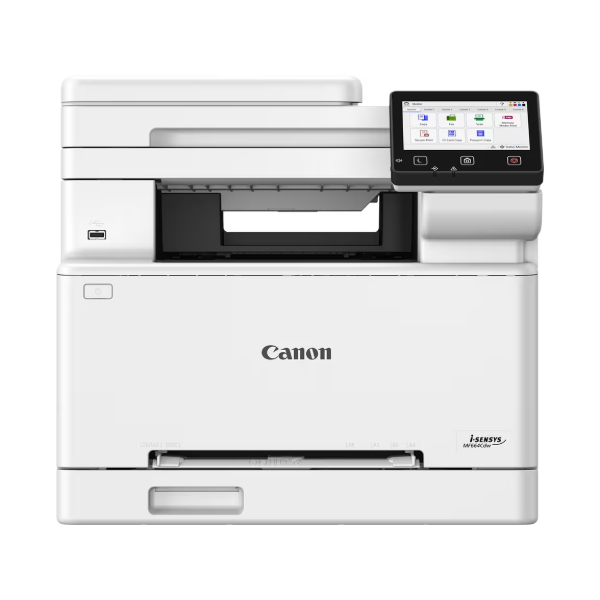
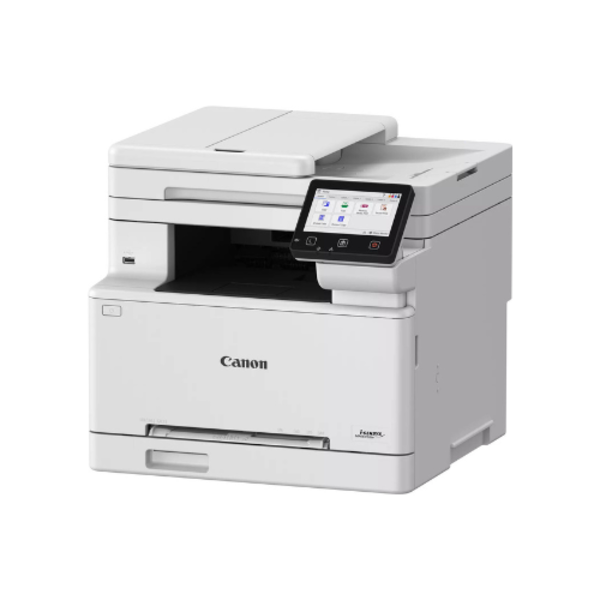

Canon i-SENSYS MF664Cdw Colour Laserjet Printer: Speed, Security, and Sharp Colour for Busy Kenyan Offices
Canon i-SENSYS MF664Cdw for offices that print constantly and can’t afford downtime. This compact colour laser all-in-one handles printing, copying, and scanning from a single unit, and it does so at speeds that keep queues short during your busiest hours. Whether you run a small law firm in Westlands, manage admin for a growing SACCO, or oversee document production at a school, this machine trades the drip-feed pace of inkjets for the reliability that laser toner delivers page after page. Explore the full range of office and home devices at PlugTechHub to see how the MF664Cdw compares against other workhorses in our catalogue.
Why Kenyan Offices and SMEs Choose the MF664Cdw
Speed That Keeps Your Workflow Moving
Nobody wants a queue at the printer during month-end reporting. The Canon i-SENSYS MF664Cdw prints and copies at up to 25 pages per minute in single-sided mode and up to 15 images per minute when duplexing, with a warm-up time of roughly 13 seconds from power-on. The first page lands in under 11 seconds, whether you print in colour or mono. For an office juggling invoices, reports, and marketing collateral simultaneously, that margin matters.
Sharp Colour, Every Time
Canon i-SENSYS MF664Cdw produces output at up to 1200 x 1200 dpi, which renders logos, charts, and photos with crisp edges and accurate colour separation. Canon’s UFRII and PCL6 print languages give designers and accountants alike the fine control they need over layout and font rendering, something budget inkjets routinely struggle to match.
Built-In Security for Sensitive Documents
Offices handling client contracts, payroll data, or medical records need more than a fast printer — they need one that protects information. Canon i-SENSYS MF664Cdw includes:
- Encrypted Secure Print and standard Secure Print for jobs that stay locked until you release them at the panel
- TLS 1.3 and IPSec encryption for network traffic
- IEEE 802.1X authentication and IP address filtering
- WPA3 support on both infrastructure and access-point wireless modes
All-in-One Convenience
Beyond printing, the unit copies up to 999 pages per run, scans through a 50-sheet automatic document feeder, and pushes documents straight to Dropbox, Google Drive, or OneDrive. AirPrint and Mopria certification mean staff can print from phones and laptops without installing extra drivers.
Full Technical Specifications
- Machine type: Colour laser all-in-one (print, copy, scan)
- Print speed: Up to 25 ppm single-sided (A4), up to 15 ipm double-sided
- Print resolution: Up to 1200 x 1200 dpi
- Copy resolution: Up to 600 x 600 dpi, with 25–400% reduction/enlargement
- Scan resolution: Up to 600 x 600 dpi optical, up to 9600 x 9600 dpi enhanced
- Paper capacity: 250-sheet cassette, 1-sheet manual feed slot, 50-sheet ADF (251 sheets total input, 100-sheet output tray)
- Connectivity: USB 2.0, Gigabit Ethernet, Wi-Fi 802.11b/g/n, Wireless Direct
- OS compatibility: Windows 10/11 and Server 2016–2025, macOS 10.15+, Linux
- Memory and storage: 1GB RAM, 4GB internal storage, 1200MHz processor
- Control panel: 12.7cm colour touchscreen LCD
- Recommended monthly volume: 250–2,500 pages, with a maximum duty cycle of 30,000 pages
- Dimensions and weight: 425 x 461 x 397 mm, approximately 20.8 kg
- Power draw: ~980W peak, ~580W active printing, ~1W in sleep mode
- Toner yields: Cartridge 075 Black rated for 1,400 pages (075H high-yield: 3,500 pages); Cyan, Magenta, and Yellow rated for 1,300 pages each (075H high-yield: 2,500 pages each)
For the complete factory-published data sheet, see Canon’s official i-SENSYS MF664Cdw specifications page.
The Honest Verdict: Pros and Cons
What Works in Its Favour
- Fast, consistent output that doesn’t slow down under daily office load
- Genuine document security features rare at this price point
- Low per-page running cost once you factor in toner yield against ink cartridges
- Automatic duplex printing saves paper and cuts costs over time
- Cloud and mobile printing removes the need for a dedicated print server
Where It Falls Short
- No built-in fax function, so offices that still rely on fax need a separate device
- The 30,000-page duty cycle and footprint make it overkill for a single home user who prints occasionally
- Upfront cost sits above basic inkjet models, even though running costs even out over time
- At roughly 20.8 kg, it isn’t a printer you casually move between desks
Laser vs Inkjet: Which Matches Your Print Volume?
Toner-based machines like the MF664Cdw win on volume: the per-page cost drops as you print more, and toner doesn’t dry out if the printer sits idle for weeks, a common problem for Kenyan offices with irregular schedules. If your printing needs stay light and photo-focused instead — a home office producing a handful of pages a week — our inkjet printers category and matching printer ink selection may suit your budget better. For toner refills and drums once you commit to laser, browse our printer consumables range.
Who Should Buy This Printer?
The MF664Cdw fits offices printing several hundred to a few thousand pages monthly: law firms, SACCOs, school administration blocks, real estate agencies, and cyber cafés all benefit from its speed and duplex printing. It also suits any business that handles confidential paperwork and needs the Secure Print and network encryption features baked in, rather than bolted on.
The Canon i-SENSYS MF664Cdw earns its keep in any office where print volume and document security both matter. It costs more upfront than an entry-level inkjet, but the running costs, speed, and built-in protections justify that gap for any business printing regularly. Browse our full printers selection at PlugTechHub to compare it against other models before you buy.
 No products in the cart.
Reviews
There are no reviews yet.